



Seeing “Verification Failed” on your phone screen can be a major disruption to your plans. If you have to complete a facial scan to activate an eSIM or access international funds, an unsuccessful ID check is the last thing you need. In the digital information age, eKYC is a necessary security measure. But what is eKYC and why can it fail?
Electronic Know Your Customer (eKYC) refers to technology that can verify your identity via your smartphone. It’s a system of financial security regulations that now exists online for much faster processing times. You’ve likely encountered this digital gatekeeper if you’ve opened a new bank account or accessed a secure service.
While the process is often as simple as uploading a photo of your passport and completing a biometric verification, a small error can turn into a major headache. For example, if you need to complete an eKYC procedure before entering a new country, a delay can be frustrating and potentially expensive.
Most eKYC verification issues are preventable if you follow some best practices. Let’s dive deeper into what eKYC means and learn how you can avoid wasting time with failed checks.
How does eKYC verification work?
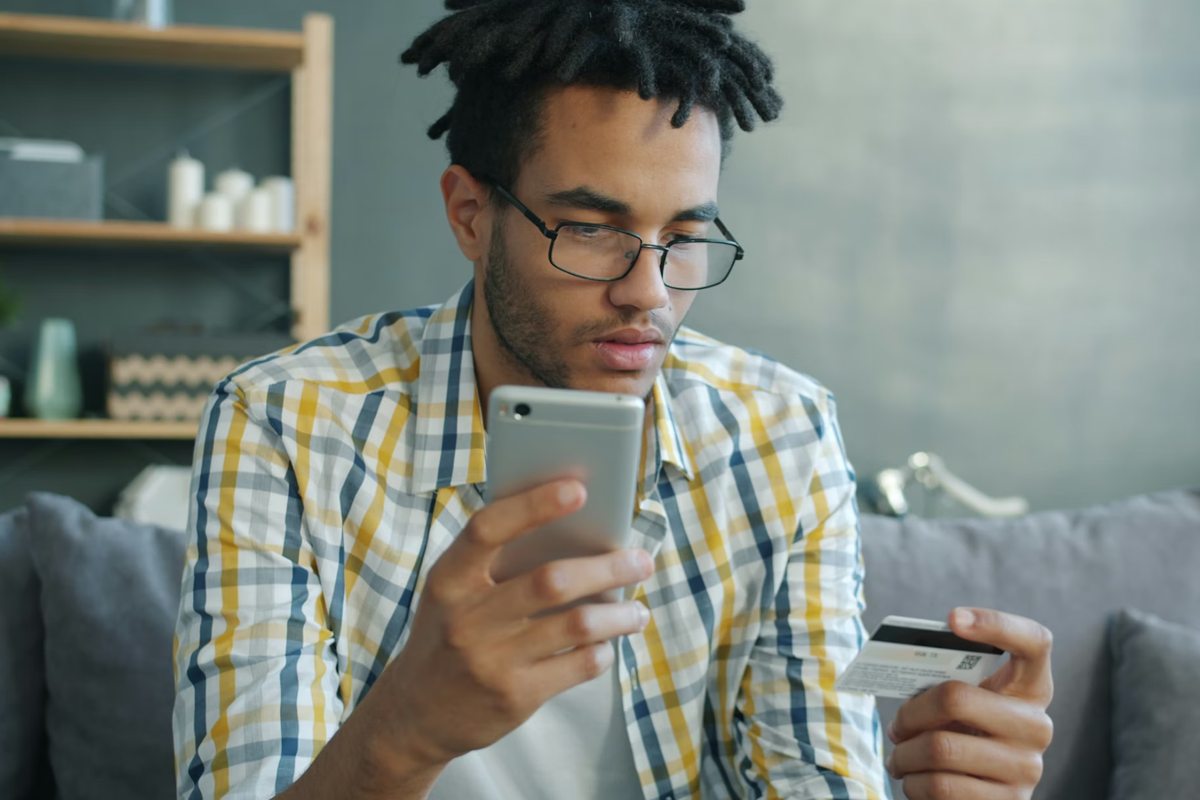
There are several steps involved in checking your identity for eKYC verification. The specifics of completing the eKYC process may vary depending on where you are, as different countries have their own legal regulations in addition to abiding by international standards.
The hidden first step: Risk screening
Before the app even opens your camera, a quick background check (known as Customer Risk Assessment or CRA) runs automatically. It looks at your connection and basic device signals to confirm you're a real person and at the location you claim to be in. This takes little time and determines whether your scan moves forward.
What you need to verify your identity
The process requires you to provide basic identity information (such as your name and date of birth), documentation (like a scan of your passport), and biometric information (like facial recognition). Upon confirmation, a final authority receives these items for approval.
Where you’ll encounter eKYC
You’ll meet this digital gatekeeper most often when you’re activating a new eSIM or opening a multi-currency banking app. It’s also becoming the standard for high-end contactless car rentals and global investment platforms. If a service involves verifying your identity or financial information, you can bet eKYC is the process behind it.
Why eKYC verification fails and how to fix it
Most rejections don’t happen because your ID is fraudulent. They happen because the verification environment is wrong. Whether it’s a flagged digital risk or a camera issue, these failures are usually avoidable. Understanding how the scan works is the key to getting approved on your first attempt.
Understand the document tier
Not all ID documents are equal when it comes to eKYC approval. Passports are usually the fastest option because they follow global security standards and are easier for automated systems to scan. See the table below to understand how your document choice can affect your wait time.
| Document type | Trust level | Verification speed |
| Passport | Tier 1 (high) | Instant |
| National ID | Tier 2 (medium) | 2-5 minutes |
| Driver’s license | Tier 3 (variable) | Manual review |
HOT TIP
Use your passport for the strongest approval odds. Always check visa requirements through official government sources before departure.
Don't create a suspicious digital environment
Your online setup matters as much as your physical ID. If your location or device settings look unusual, the system may pause your verification. To avoid high-risk flags:
- Disable your VPN. While VPNs are great for privacy, they mask your true IP address and location. This is a major red flag for CRA systems. Turn it off for five minutes to pass the initial geographic scan.
- Use 4G or 5G. Avoid public Wi-Fi. Sudden data drops on unstable networks cause your liveness check to fail mid-scan.
- Check your data settings. Ensure your iPhone or Android device has active data. A weak or unstable connection can interrupt the upload and cause the scan to fail.
Put care into your physical setup
Passing the physical scan is all about eliminating variables that confuse the digital sensors.
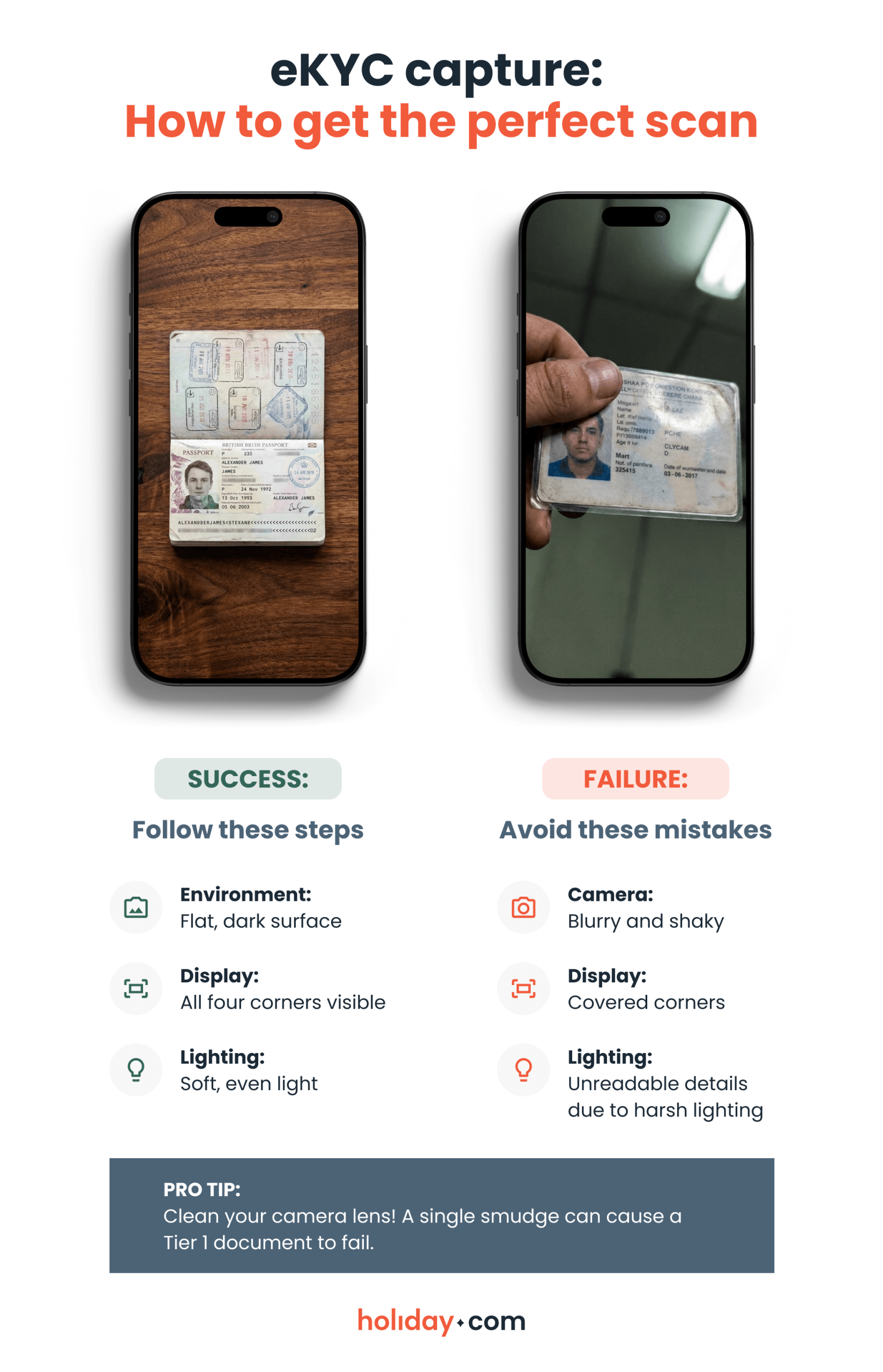
How to pass biometric liveness checks
This is the most interactive part of eKYC. It isn't only a static photo, but a real-time test to prove you aren't using a high-definition deepfake or a printed mask. The system will ask you to perform a random action, like blinking or smiling, to confirm you’re physically present. Make sure to remove sunglasses or anything that obscures your face to prevent check fails.
Is eKYC safe?
It’s natural to feel cautious about sharing your biometrics, but in reality eKYC is often safer than carrying a physical file. Providers don’t store your biometric data as a regular photo. It’s converted into a secure, encrypted format designed to protect your identity.
Privacy, biometrics, and the deepfake threat
Deepfakes are AI-generated videos or images designed to convincingly mimic a real person. The safeguards built into eKYC checks combat these exact issues.
- Biometric defense. Liveness checks make it difficult for someone to use a stolen photo or AI-generated video to impersonate you. These safeguards exist to stop identity theft before it happens.
- Real-time verification. By confirming there’s a live person in front of the camera rather than a static image, eKYC adds an extra layer of security to your account.
HOT TIP
If automated verification fails, wait before retrying. Many platforms route flagged scans to human review and are usually resolved within 15 minutes.
The future of eKYC verification
Once you understand how document hierarchy works and how digital red flags like VPNs or unstable connections trigger extra scrutiny, you’re already ahead of most users. Small adjustments like positioning your passport correctly can mean the difference between a frustrating manual review and instant approval.
The future isn't just about faster technology, it's about frictionless access. eKYC verification is now the backbone of the modern digital economy. Remote workers use it to secure digital nomad visas and investors use it to access international markets. Understanding how it works today means fewer disruptions tomorrow, and more control over how you operate in today’s online world.
FAQ
-
Can I use a temporary or paper ID if I’ve lost my passport?

No. Most eKYC systems will reject paper documents or temporary IDs because they lack holographic security markers and biometric chips. You’ll need to request a manual review from the support team.
-
What should I do if my phone camera is broken?
Most platforms allow you to start the process on a laptop or use a different device by sending a secure link to another phone. Make sure the secondary device isn't using a VPN, or you'll trigger a location flag.
-
Will eKYC work if I’ve recently had surgery or a major change in appearance?
The system looks for skeletal landmarks rather than surface details, so minor changes usually aren't an issue. If the liveness check fails, the hybrid system will kick in, and a human agent will compare your new scan against your ID photo.
-
Does my name on the app have to match my ID exactly?
Yes. If your ID includes a middle name or a suffix like “Jr,” make sure your account profile matches it. Even small discrepancies between your typed name and the scanned document can cause an automated rejection.
-
Is there a way to verify my identity before I need the service?
Yes. Complete your scan at home on secure Wi‑Fi to avoid connection issues. This prevents the system from flagging your IP address as high risk, even before you activate an eSIM or access a new banking platform abroad.
-
Can I use a saved photo of my ID?
No. To prevent fraud, these systems can detect when you’re scanning a screen instead of a physical document, which will result in an automatic rejection.
About our author

You might also be interested in...
-
 Glossary
What is data roaming and how does it work?
You step off the plane in a new country, open Google Maps or check your messages, and everything works like normal. What you may not see is how quickly those small actions can add up to big expenses w...
 Ana Marković
 06.09.2026
 -
 Glossary
What is a nano SIM card? Features and compatibility
If you’re buying a new phone or getting a new SIM card for any reason, using the correct size is vital for proper functionality. SIM cards come in multiple sizes like standard and micro, but these c...
Ivana Shteriova
06.08.2026 -
 Glossary
What is a SIM card? How SIM technology works
A subscriber identity module (SIM) card is inside almost every mobile phone, yet most people never think about what it does or what it contains. Simply put, it keeps your device connected to a mobile ...
Jelena Relić
06.04.2026 -
 Glossary
What is GSM? Everything travelers need to know
If you’re a frequent international traveler, you’ve probably encountered GSM before. Whether you knew it, GSM plays an important role in keeping you connected when you travel abroad. But what exac...
Dawn Prevete
06.01.2026 -
 Glossary
What is an APN and how to fix connection errors
There’s nothing more frustrating than seeing full signal bars on your phone while your internet refuses to load. You might be able to make calls or send texts, but your browser, maps, and apps remai...
Jelena Relić
06.01.2026 -
 Glossary
What is mobile internet? A traveler's guide to staying connected
When you check Google Maps in a new city, send WhatsApp messages, or scroll through Instagram Reels on the go, you’re using mobile internet. Mobile internet (also called mobile or cellular data) con...
Sarah Kirton
05.13.2026