

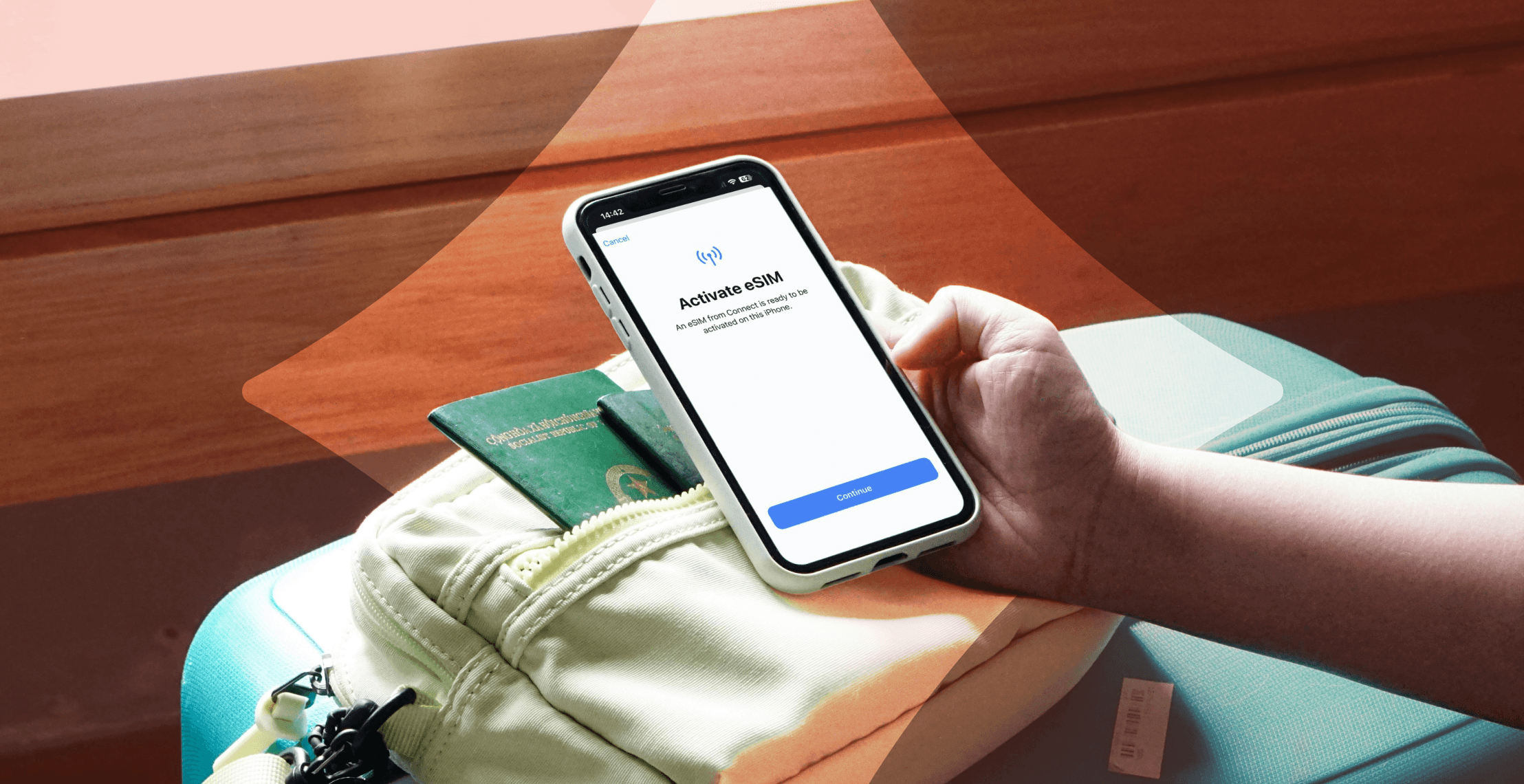
An eSIM is essentially a SIM card, but built into your device. Like SIM cards, they connect you to mobile networks for calls, browsing, and everything else that requires data. While SIM cards are still in use, smartphone manufacturers are phasing them out. In fact, Apple has already removed the SIM tray from its US iPhones. As eSIMs become more common, you might be anxious about what that means for your connectivity.
The switch to digital actually simplifies the process of getting online. Think of your eSIM as a digital wallet. Just as a digital wallet can hold multiple credit cards, a single eSIM lets you store multiple digital profiles (plans) on your phone. Phones that use traditional SIMs limit this by the available SIM slots.
Learn what an eSIM is and how it keeps you connected without a physical chip. We’ll cover the ins and outs of this technology and show you why it’s the safest and most practical option for international travel.
When should I use an eSIM?
The digital nature of this technology makes it highly beneficial in certain situations.
- Avoid expensive roaming fees while traveling. By using a travel data plan to stay online abroad, you bypass the high fees domestic carriers often charge.
- Separate your personal and business lines. Some eSIMs let you have two active phone numbers on a single device, making it easy to toggle between professional and private communications. You can assign specific lines for data, calls, and texts.
- Switch carriers without visiting a store. Rather than pick up a SIM card in person, some carriers allow you to sign up for a new service plan via an app or website and have it activated in minutes.
5 common myths about eSIMs (debunked)
There’s still a lot of confusion about how this tech works. Let’s clear up the biggest misconceptions.
| The myth | The reality |
| “I’ll lose my phone number.” | You can keep your primary number active for calls and texts while using a travel eSIM for data. |
| “It’s permanent.” | An eSIM is temporary. You can delete a profile in seconds once you’re done with it. |
| “eSIMs drain battery life.” | Searching for a signal in poor coverage areas causes battery drain, not the SIM type. |
| “I can’t use WhatsApp.” | WhatsApp and other internet-based communication apps work perfectly with an eSIM data plan. |
| “It’s unsafe.” | It’s actually safer. Since thieves can't steal the embedded chip, your line is more secure from theft than with a plastic card. |
Don't let these misconceptions hold you back! Switching to digital is much easier than most people think (and often reversible).
eSIM vs physical SIM: The real differences
The biggest contrast between an eSIM and a physical SIM is how you add and manage your mobile plan. One relies on a plastic card, while you manage the other in your phone’s settings.
| Physical SIM | eSIM | |
| Hardware | Removable plastic chip | Embedded digital chip |
| Activation | Manual insertion (requires tool) | Instant (QR code, app, or manually in your phone settings) |
| Changing networks | Swap cards to change networks | Switch networks under your phone settings |
| Security | Thieves can remove it | Thieves can’t remove it |
| Number of profiles | Limited by available SIM slots | Multiple profiles stored on one device |
| Travel | Buy a local SIM or pay for roaming when you reach your destination | Set up your plan before your trip |
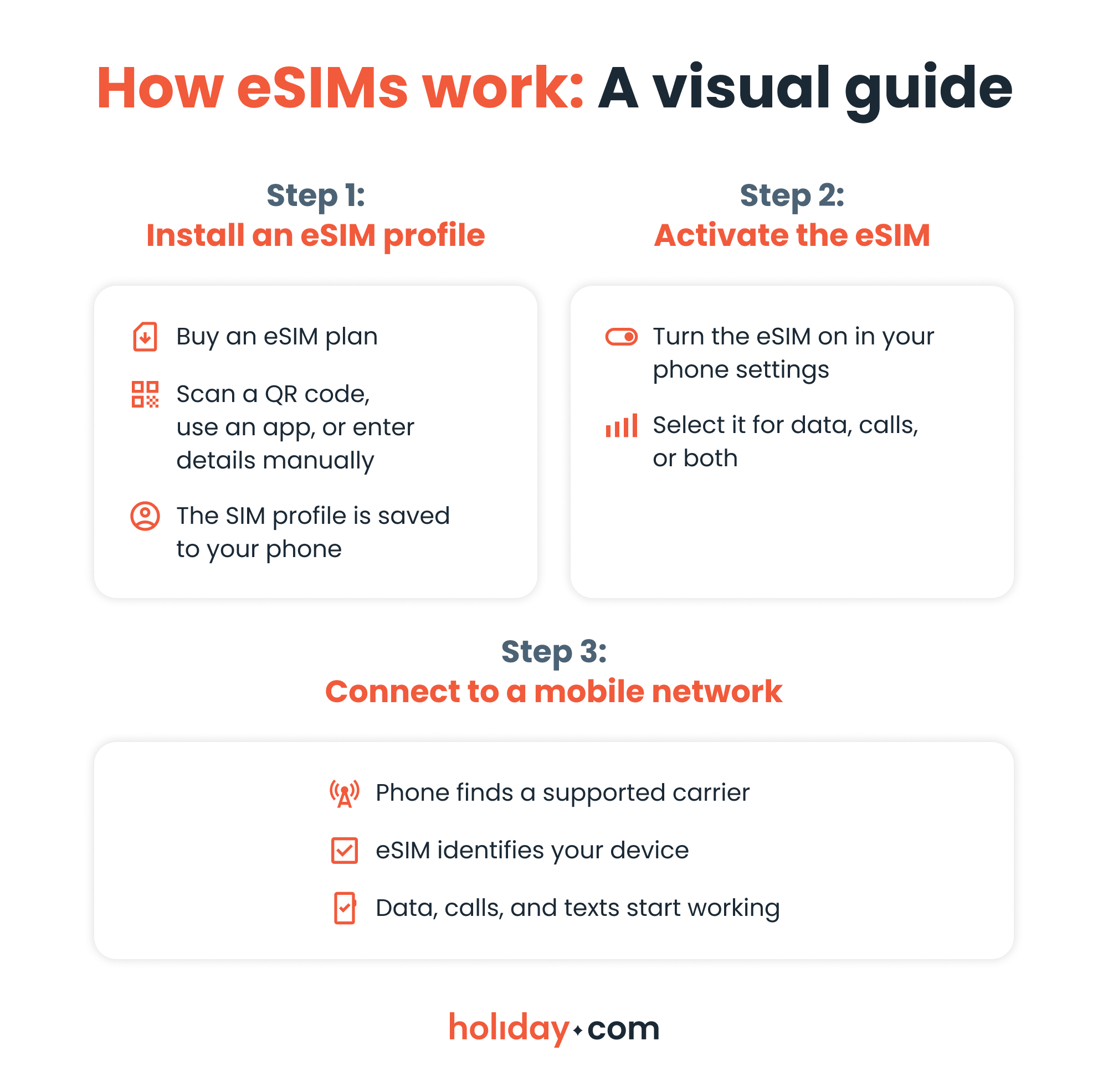
How do eSIMs work?
Install the eSIM profile virtually. To do this, you’ll scan a QR code or enter activation details you’ve received from your carrier or provider. Travel eSIM providers usually let you set up everything easily within their app.
Once installed, you can turn your eSIM off or on and switch plans in your phone settings.
Does my phone support eSIMs?
Most newer smartphone models support eSIMs, but it also depends on your region and carrier restrictions. Check compatibility by dialing *#06# and looking for an Embedded Identity Document (EID) number. If you see one, your device supports eSIM.
Bear in mind that your phone must also be carrier-unlocked to use a third-party eSIM plan. Check with your carrier or navigate to the mobile network menu (Android) or general menu (iPhone) in your device settings. If multiple networks are available or you see “No SIM restrictions,” your phone is likely unlocked.
A typical dual SIM setup
One of the biggest distinctions between eSIMs and physical SIMs is the ability to manage multiple plans. You can save eight or more profiles on an iPhone or Android device (depending on model), though only two can be active at once. This allows you to keep your primary home number active for calls while using a second profile for travel or work.
Here are a few examples of this functionality in practice:
- One SIM card and one eSIM. This is the most routine setup. You keep your regular card in the tray and add a digital plan (for example, an eSIM for travel).
- Dual eSIM. Some newer models (iPhone 13 and later) allow you to run two eSIMs simultaneously, without using the tray at all.
- eSIM-only. Newer US iPhone models have removed the tray entirely, so eSIM is the only option.
Remember that eSIM profiles aren’t permanent. You can delete them if they’ve expired or you’re no longer using them.
Why are eSIMs particularly useful for travel?
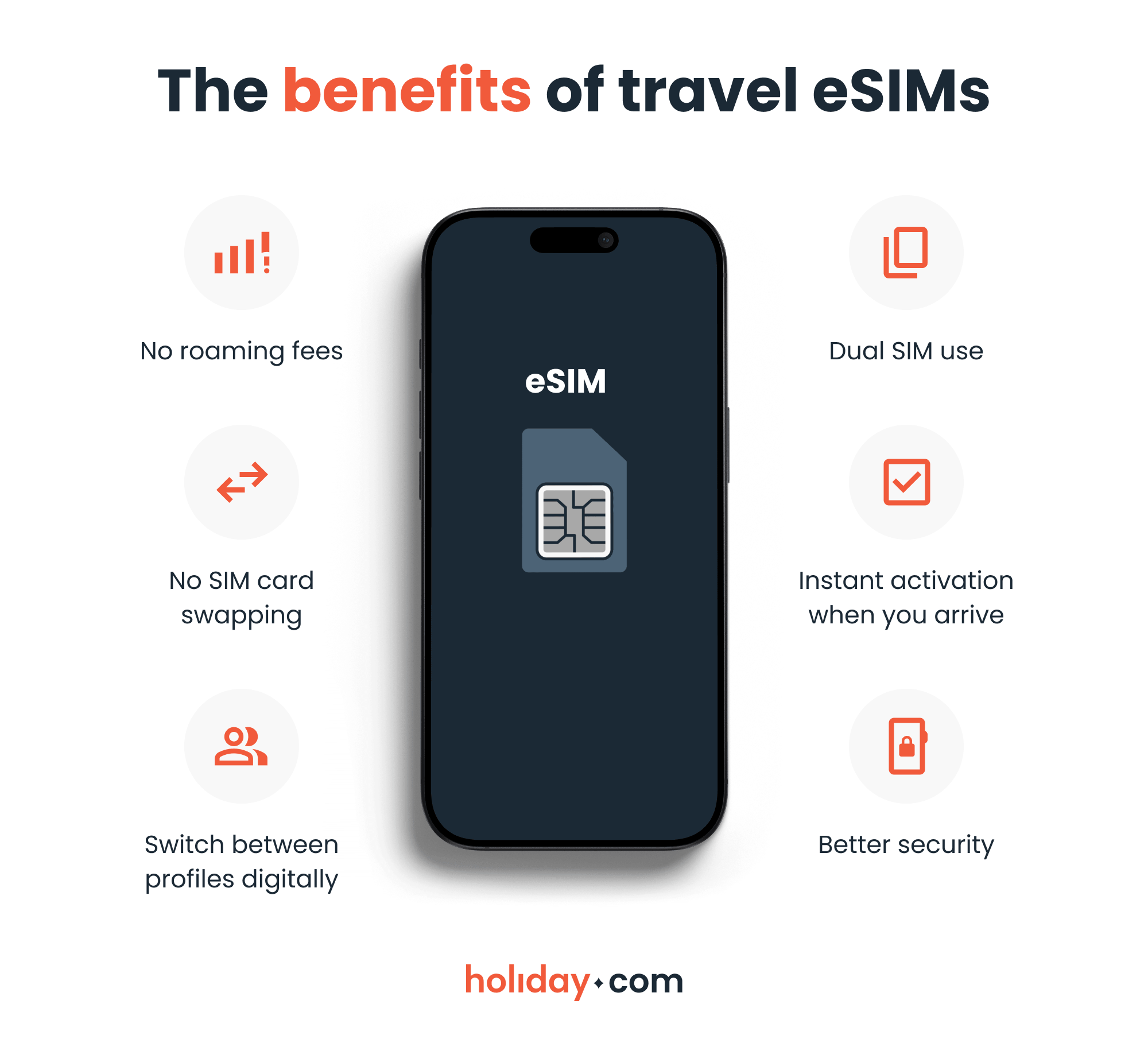
One of the major advantages of eSIM technology is simplicity, which is essential when traveling. Instead of buying a local SIM card in every new country, set up a digital profile directly on your phone. There’s no need to keep swapping cards and risk damaging or losing them.
It’s possible to keep your home number active for calls and two-factor texts while using a virtual line for data. Messaging apps like iMessage, Messenger, and WhatsApp are internet-based, meaning they’ll still work even if you’ve set your travel eSIM as the primary data line.
Additionally, a travel profile eliminates roaming fees. Why worry about hitting a limit and paying extra when you can download a prepaid plan for a fraction of the cost? Top providers like holiday.com offer unlimited data packages and let you create custom plans for the exact number of days you need, helping you stay on budget.
You can set up your eSIM before you leave home and connect as soon as you land at your destination. You won’t have to hunt for a kiosk at the airport or struggle with language barriers to get online.
Digital profiles are also highly secure. Since thieves can’t steal the embedded hardware, your line is safer than it would be with a plastic card. This makes it easier to track your phone if it’s lost or stolen.
HOT TIP
Keep in mind that some countries enforce regulations limiting the use of travel eSIMs. Always research the region you plan to visit before purchasing a package.
Make the switch to eSIM today
eSIM technology makes it easy to stay online by allowing you to switch carriers and plans effortlessly. You can download profiles wherever you are and keep using data and making calls as you always do.
For international travelers in particular, eSIMs are arguably superior. They’re safer and let you skip the hunt for SIM kiosks at a foreign airport. If your device supports eSIM functionality, making the switch from a local SIM to a travel eSIM is a no-brainer. You’ll save money on roaming fees and never have to worry about losing a tiny card again.
FAQ
-
Does an eSIM come with a phone number?

Sometimes. Many travel eSIMs are data-only, while carrier eSIMs include a number. It depends on the specific package you choose.
-
Does an eSIM replace my main phone number?
No, but you can specifically ask your carrier to convert your physical card to an eSIM. If you’re using a travel package, keep your main number active for calls while using the digital profile for data.
-
Do eSIMs work differently on iPhone and Android?
No. eSIMs work the same on iPhone and Android devices. The setup process on Android differs only in where to locate these settings.
-
Can I transfer my eSIM to a new phone?
Yes. You can transfer your eSIM to a new device through your phone settings or during the initial setup, as long as both phones support eSIM and your carrier allows it. Note that travel eSIMs aren’t often transferable as the profile links to the original device.
-
Can I use WhatsApp and FaceTime with an eSIM?
Yes. Apps that work over the internet function normally with a digital profile, even if the plan doesn’t include a phone number.
-
Do eSIMs drain the battery?
No. It consumes the same amount of battery as a SIM card. It’s not the chip type, but rather searching for a signal in poor coverage areas that drains the battery.
-
What happens to the eSIM if I lose my phone?
You can disable or reissue the profile through your provider, just as you would with a regular SIM. Because there’s no card to eject, thieves can’t immediately disconnect a locked phone from the network. This keeps your device trackable for much longer.
About our author

You might also be interested in...
-
 eSIM
eSIMHow to turn off an eSIM: Quick guide and tips in 2026
Turning off your eSIM can be helpful in many situations. You may want to disable a travel data plan, switch to another SIM, or avoid roaming charges. The process is quick and you can do it from your p...
 Ana Marković
 06.16.2026
 -
 eSIM
eSIMWhat is an ICCID number and why does it matter?
Knowing how to find your integrated circuit card identifier (ICCID) number makes it easier to manage devices that use SIM cards and eSIMs. When things are going smoothly, you hardly have to think abou...
Sarah Kirton
06.16.2026 -
 eSIM
eSIMeSIM vs. data roaming: Which is better for international travel?
Staying connected while traveling is easier than ever, but the way you access mobile data can make a big difference in your experience and costs. Two popular options are purchasing a travel eSIM or re...
Dawn Prevete
06.09.2026 -
 eSIM
eSIMeSIM vs physical SIM: Pros, cons, and which one is right for you?
An eSIM (embedded SIM) is the digital equivalent of a physical SIM card built into your device. It allows you to activate and manage cellular plans entirely through software, meaning there’s nothing...
Ivana Shteriova
06.08.2026 -
 eSIM
eSIMHow to delete data usage history in 2026: A step-by-step guide
You can erase the data usage counters on your phone, but you can’t permanently erase your carrier’s system-level logs. Deleting your local statistics so the counter returns to zero takes only a fe...
Ana Marković
06.08.2026 -
 eSIM
eSIMDoes an eSIM drain your battery? Fact versus fiction
While eSIMs use the same hardware as physical SIM cards and consume virtually the same power, there are times when you might notice your device’s battery draining faster than usual. Most often, itâ€...
Sarah Kirton
06.08.2026